Road
In Design → Roads you can group multiple gates and pedestrian crossings into one road segment.
- Click Add Road to create a new road and assign gates or pedestrian crossings.
- To rename an existing road directly on canvas, double-click the road label in Scene Editor, edit text inline, then press Enter or click outside.
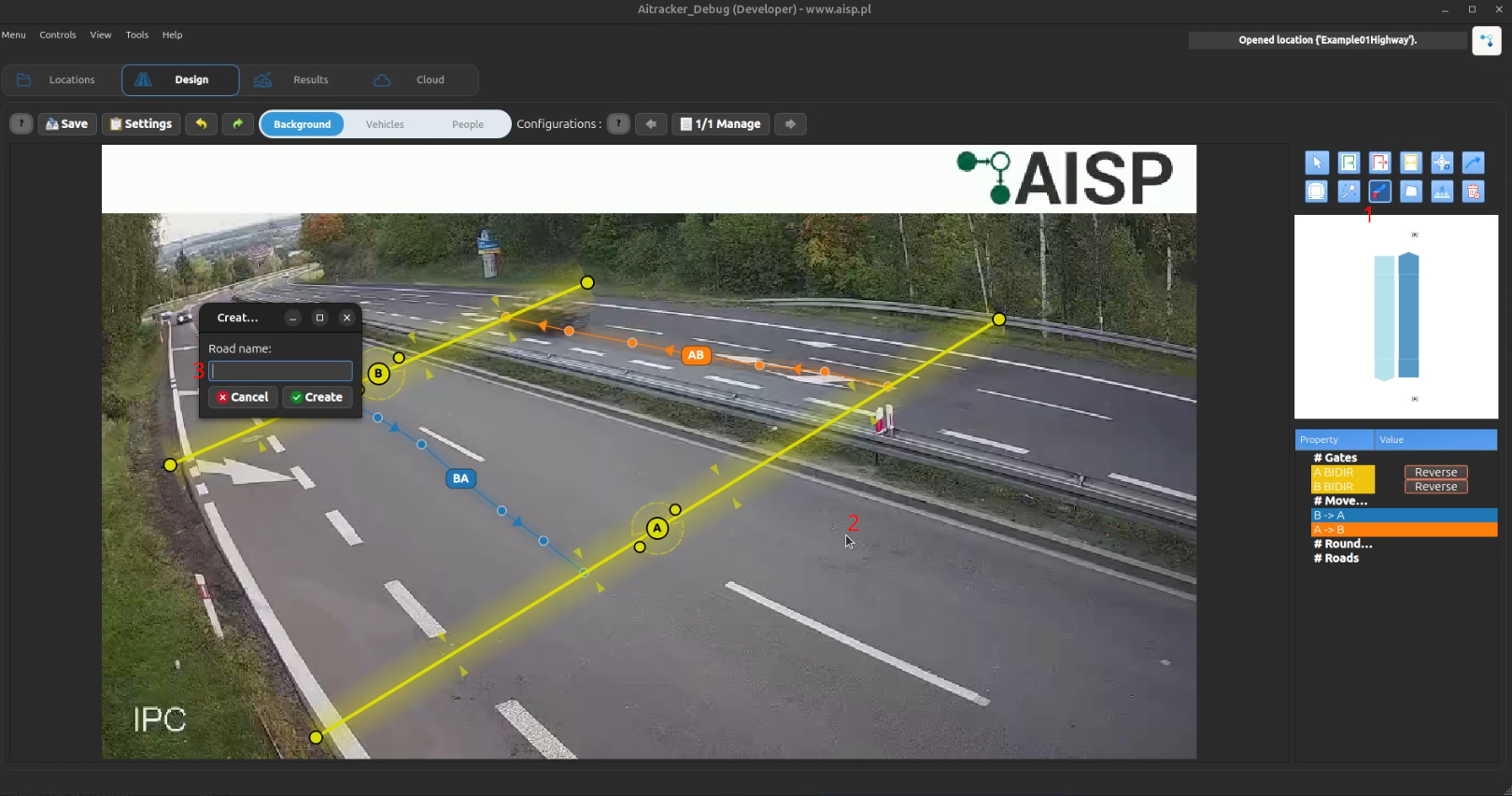
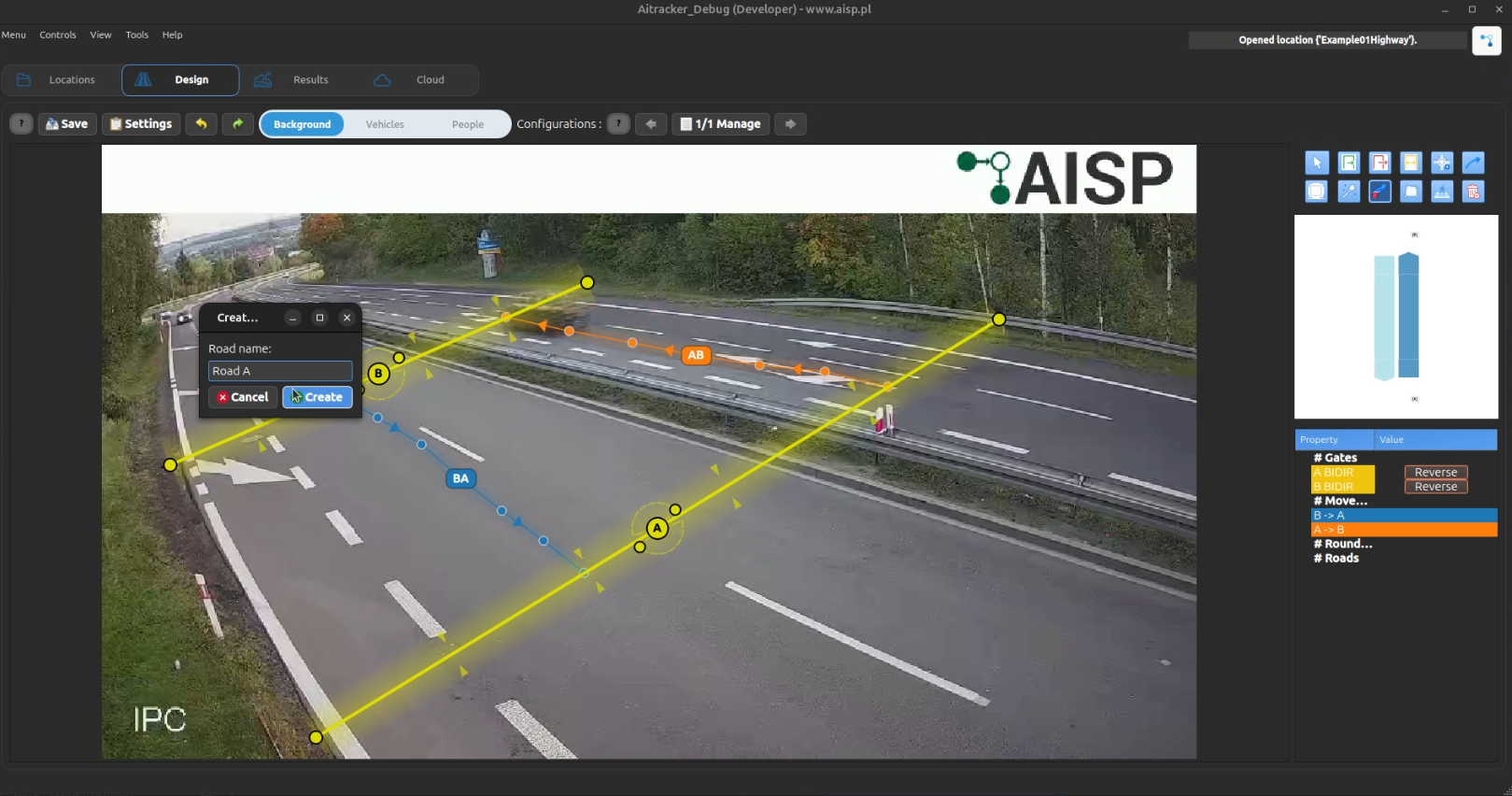
- Fallback rename path: right-click road label and choose Edit road name.
- To attach objects to an existing road, activate the road and click the target gate or pedestrian crossing in Scene Editor.
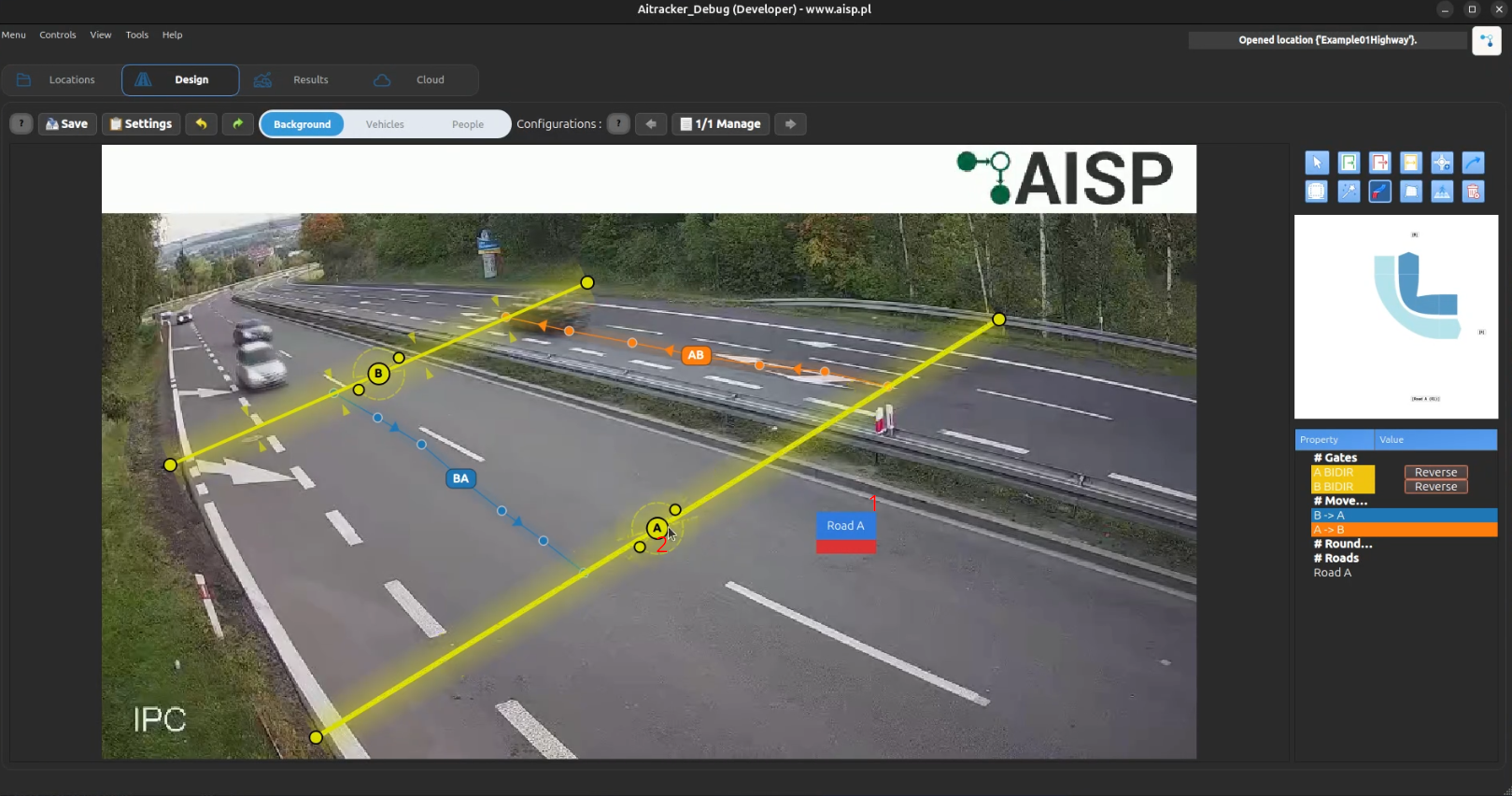
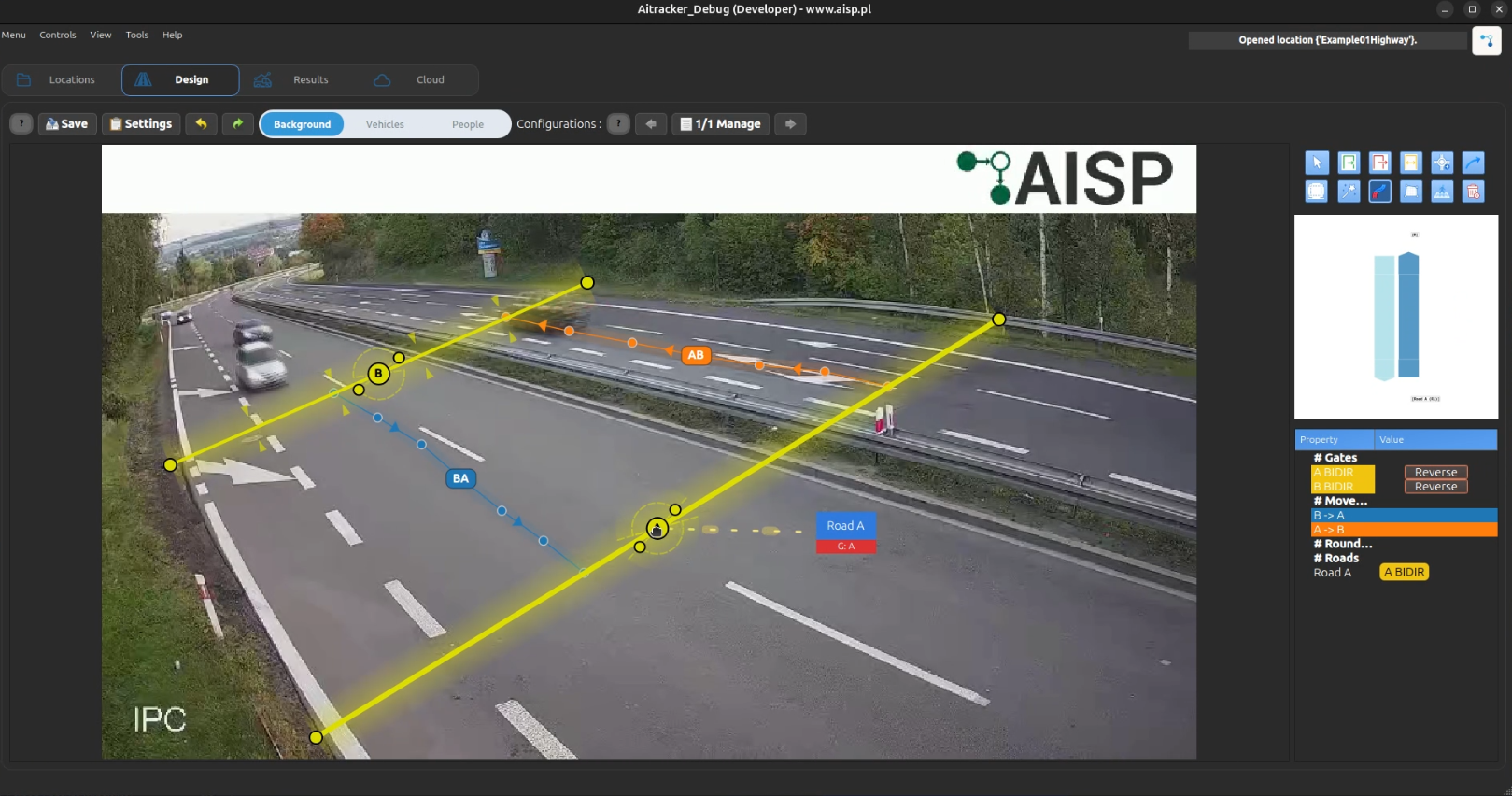
- Leave the name empty to keep only the automatic road ID label.
Road Overlay in Scene Editor
When roads are defined, Scene Editor shows a minimalist read-only road overlay:
- Label: only road name, with fallback to road ID when name is empty
- Road band: yellow gradient strip aligned with the computed road axis
- Label plate: blue plate with a thin red accent line, centered on the road band
Road overlays are derived from the current road-to-gate and road-to-crossing assignment. They are refreshed automatically after configuration sync. Geometry cannot be dragged or resized; only the road name text is editable.