Droga
W Projektowanie → Drogi możesz zgrupować wiele bram i przejść dla pieszych w jeden segment drogi.
- Kliknij Dodaj drogę, aby utworzyć nową drogę i przypisać bramy lub przejścia dla pieszych.
- Aby zmienić nazwę istniejącej drogi bezpośrednio na kanwie, dwukrotnie kliknij etykietę drogi w edytorze sceny, edytuj tekst inline, a następnie naciśnij Enter lub kliknij poza nią.
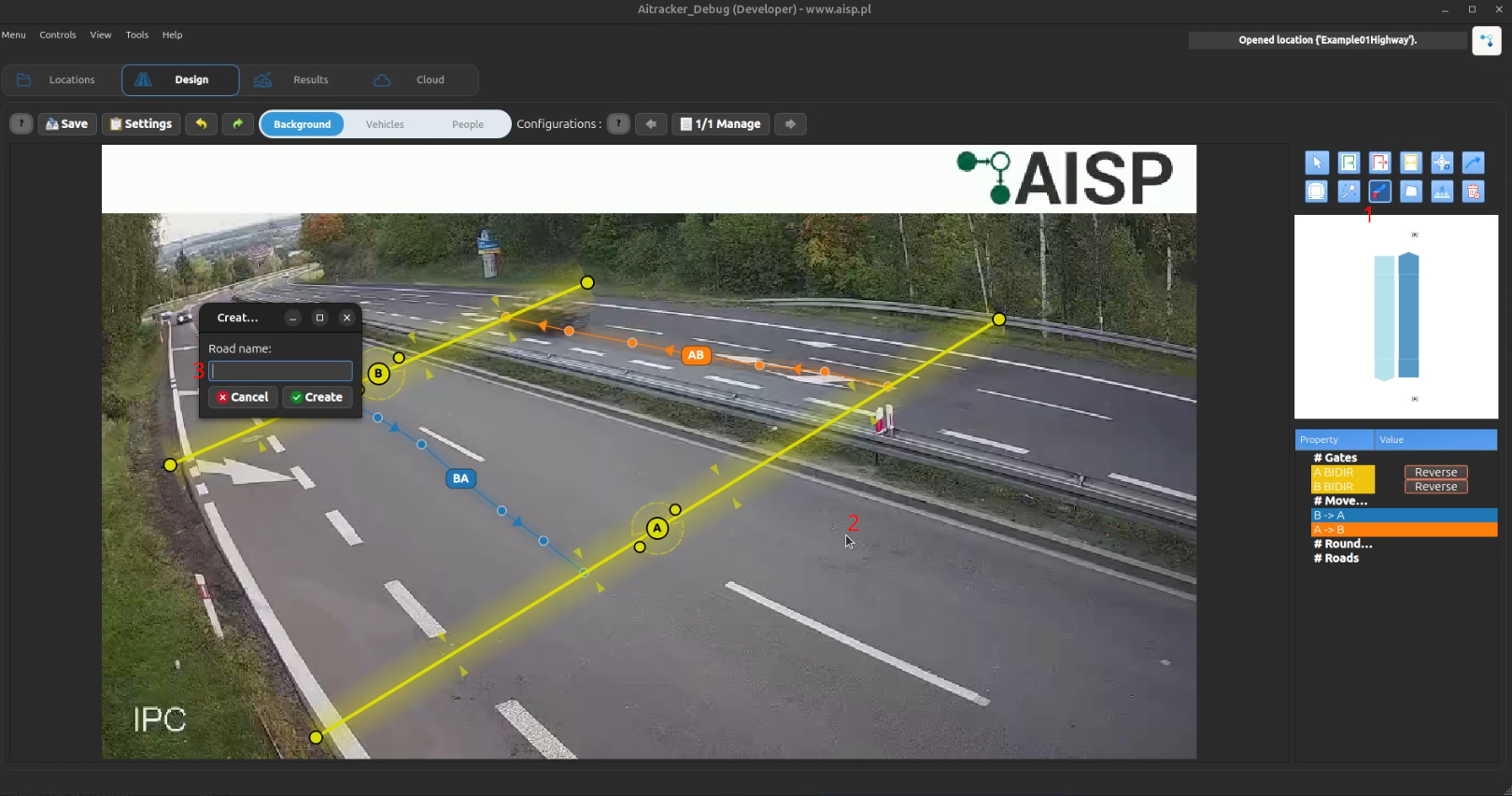
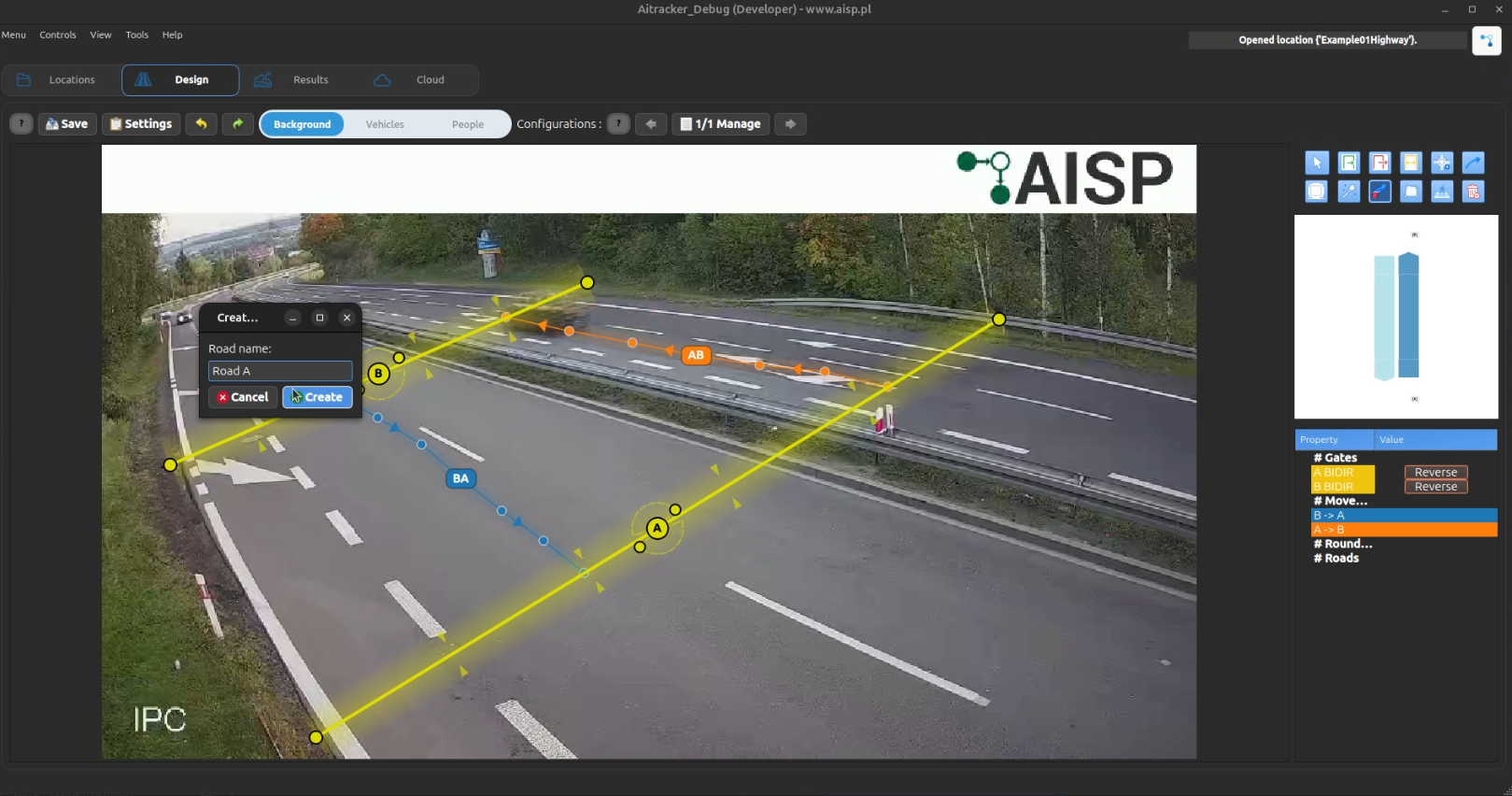
- Ścieżka rezerwowa zmiany nazwy: kliknij prawym przyciskiem myszy etykietę drogi i wybierz Edytuj nazwę drogi.
- Aby dołączyć obiekty do istniejącej drogi, aktywuj drogę i kliknij docelową bramę lub przejście dla pieszych w edytorze sceny.
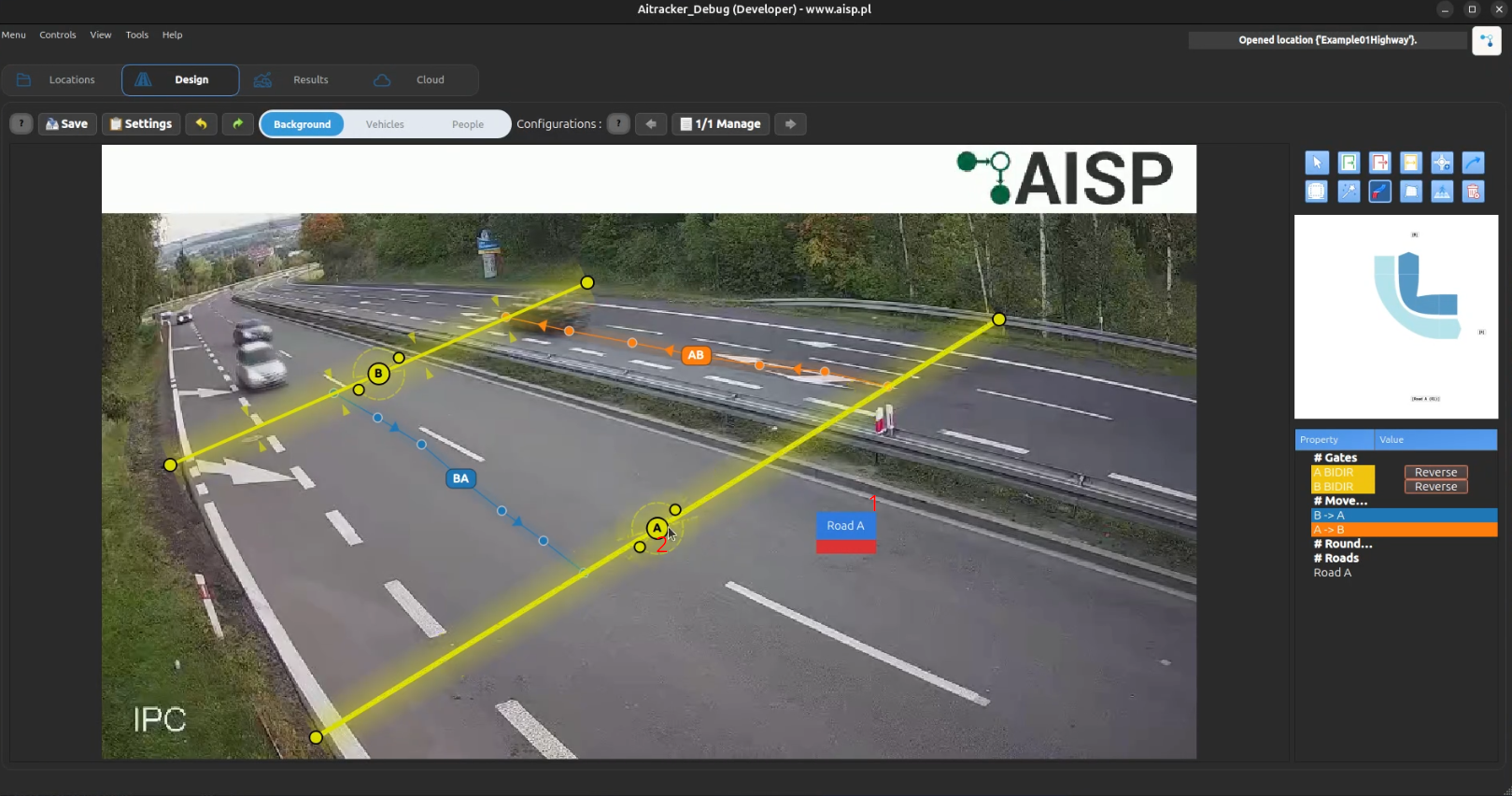
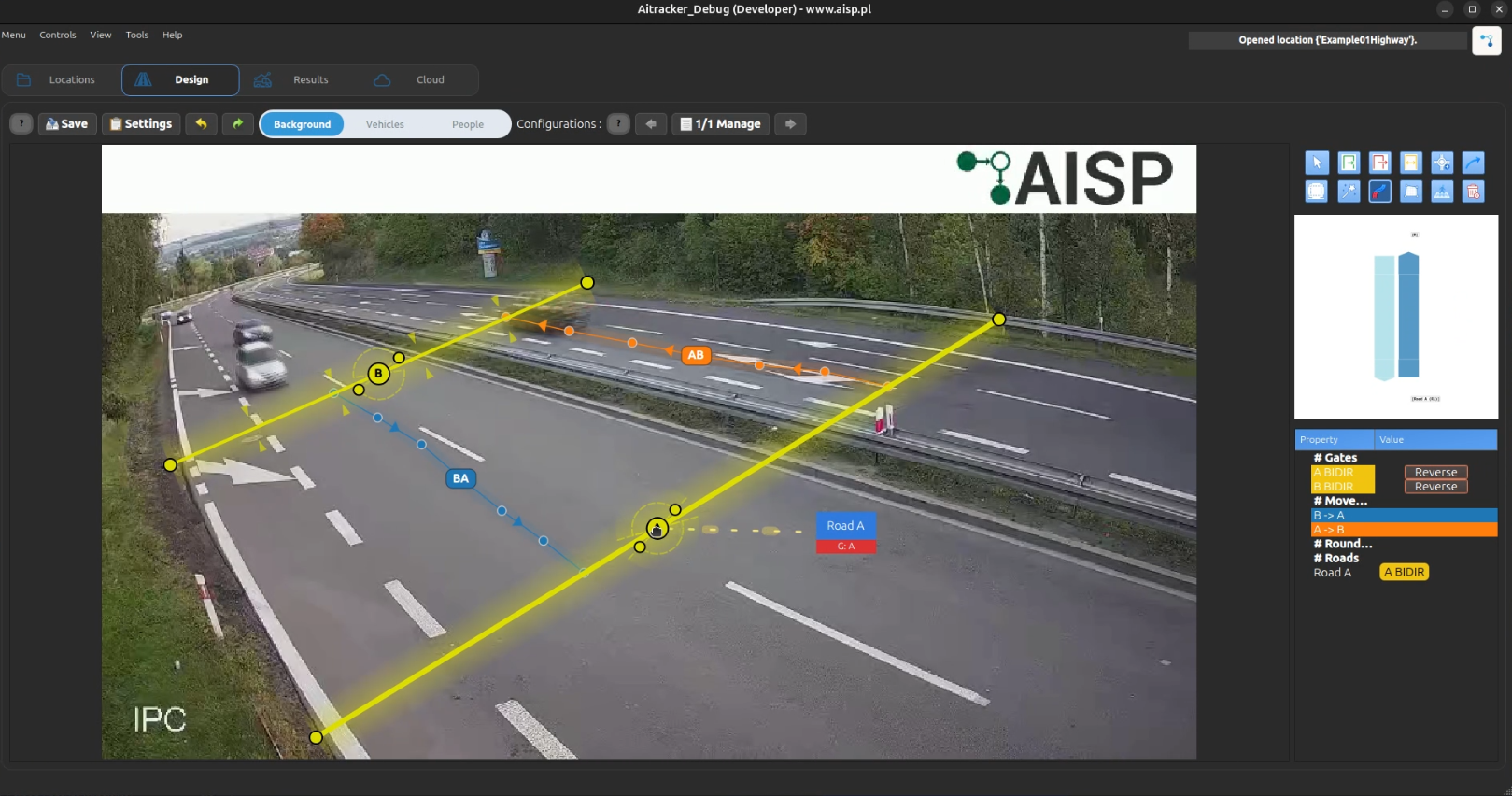
- Pozostaw nazwę pustą, aby zachować tylko automatyczną etykietę identyfikatora drogi.
Nakładanie drogi w edytorze sceny
Kiedy drogi są zdefiniowane, edytor sceny pokazuje minimalistyczne nakładanie drogi tylko do odczytu:
- Etykieta: tylko nazwa drogi, z powrotem do identyfikatora drogi, gdy nazwa jest pusta
- Pasek drogi: żółty pasek gradientu wyrównany z obliczoną osią drogi
- Tablica etykiety: błękitna tablica z cienką czerwoną linią akcentu, wyśrodkowana na pasku drogi
Nakładania dróg pochodzą z bieżącego przypisania drogi do bramy i drogi do przejścia. Są one odświeżane automatycznie po synchronizacji konfiguracji. Geometria nie może być przeciągana ani zmieniana rozmiar; tylko tekst nazwy drogi jest edytowalny.