Combine Multiple Directories
Combining Multiple Directories into One Location
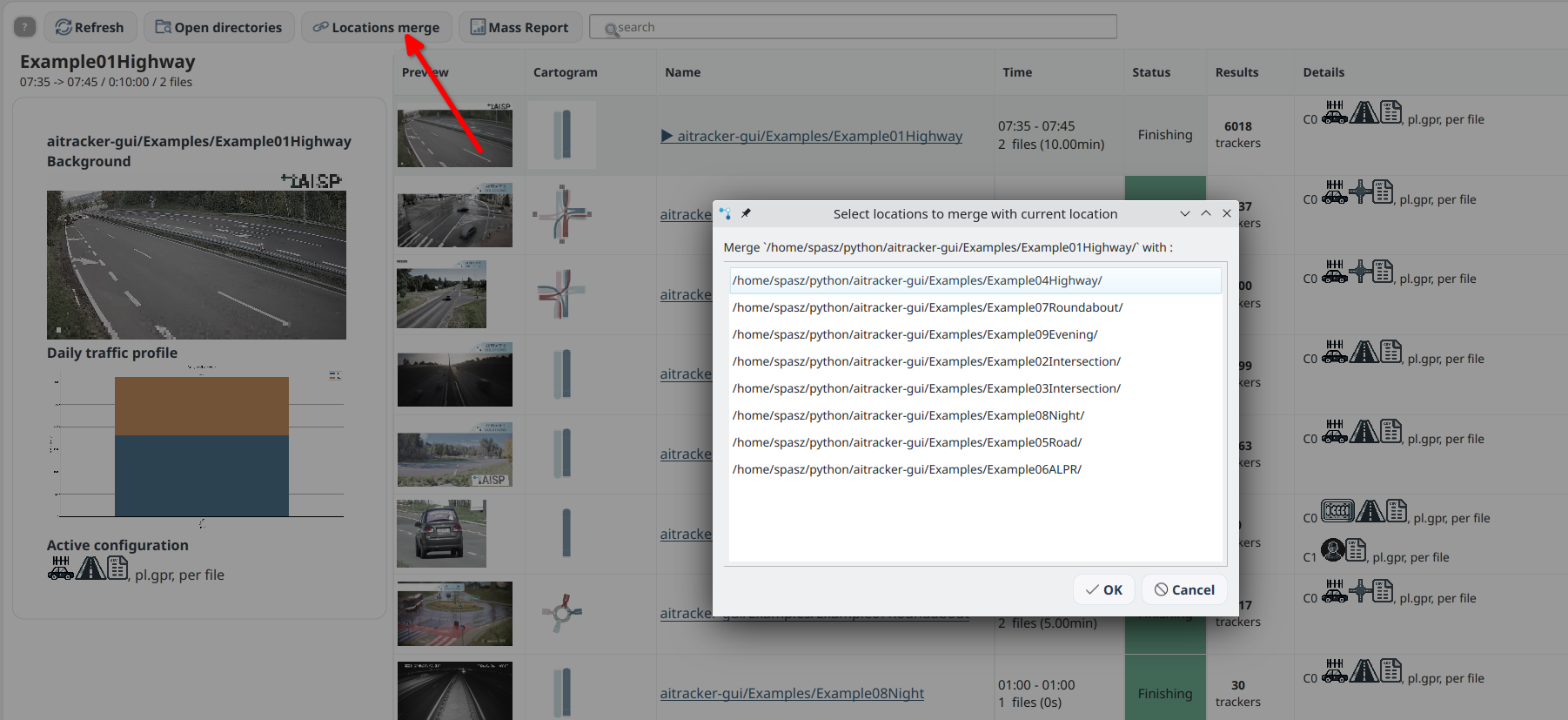
Some cameras store a single measurement as multiple directories, for example by hour or by segment. In AITracker, such directories can be merged into one logical location so they can be analyzed as one continuous measurement.
When to use location merging
This feature is useful when:
- the camera splits the recording into hourly or segmented folders
- one measurement consists of multiple subdirectories
- you want to keep one shared configuration for all parts of the recording
- the results should be collected as one consistent measurement
How merging works
Use the Connect configuration with button in the location table for the base directory. The remaining directories will be attached to it as child directories.
AITracker processes them together while keeping one starting point for the entire location.
Where results are saved
When locations are merged, the results, configuration, config.json file, and other helper files are saved in the starting directory used for the merge. In most cases, this is the first directory selected to create the location.
This means that:
- results are stored in the base directory
- the configuration is shared across the full set of merged directories
- additional helper files are read and written relative to the starting directory
Example
If the measurement is split into directories such as:
01/01.00.00-01.05.00.mp402/02.00.00-02.05.00.mp403/03.00.00-03.05.00.mp4
you can merge them into one location and obtain one result set and one configuration for the whole measurement.
Additional note
Location merging does not duplicate input data. AITracker treats the child directories as parts of a single measurement rather than independent locations.