Movements — Connections Between Gates
Movements connect two gates and define permitted travel paths at a measurement point.
What is a movement?
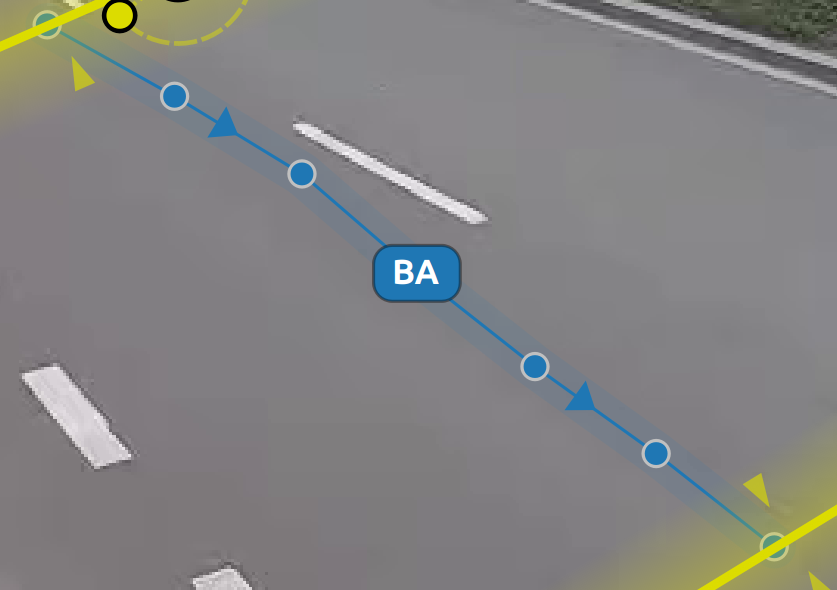
A movement:
- always connects an entry gate to an exit gate,
- represents a specific direction of travel, such as AB, AC, or BA,
- cannot exist without gates.
Movements therefore form a logical layer on top of gates: create the gates first, then connect them with movements.
How a movement works
- Movement ID — generated automatically from the gate pair, for example AB, AC, or BA.
- Direction — derived from the gate types. An Entry Gate → Exit Gate connection is a directional movement displayed with arrows.
- Colour — assigned automatically from the colour palette.
- Gate dependency — each movement stores an
EntryGateandExitGate. If a referenced gate is deleted or its type changes, recreate the related movements. - Gate anchor points — the start and end are anchored at the exact clicked positions on the gate lines, not forced to their centres.
Creating movements
- Make sure at least two gates exist.
- Go to Movements in the Design tab.
- Click Add Movement.
- Select the starting gate and the destination gate.
- Repeat for every required route.
Changing the manoeuvre type
The movement card in the scene tree shows a manoeuvre symbol, such as a left turn, straight ahead, or a U-turn marked with U. Click the symbol to cycle through the available values. The technical Unknown state is not part of this manual cycle.
A manually selected type is saved in the configuration and remains unchanged after reopening it. Moving a movement point recalculates the manoeuvre type from its geometry.
Reading and editing direction
The movement label shows the identifier composed of its entry and exit gates, for example AF, while the small white chevron on the line indicates the direction. Drag the label to move the movement's middle point. Hover over the line, label, or movement card to display short white dashes travelling from entry to exit while the remaining movements are gently dimmed. Point handles become visible only after selecting the movement for editing. Existing movements are also dimmed after selecting the entry gate while drawing a new movement.
When to use movements
Use movements when:
- analyzing paths through an intersection, such as straight ahead, left, and right,
- counting only selected directions of travel,
- reporting flows between specific entry and exit points.
Drawing movements for stable classification
- Draw the movement as close as possible to the real vehicle trajectories.
- The smaller the difference between the movement and real trajectories, the more reliable the assignment.
- After making changes, run reclassification and inspect one movement at a time with the movement filter before continuing to the next one.