Table
Table Columns
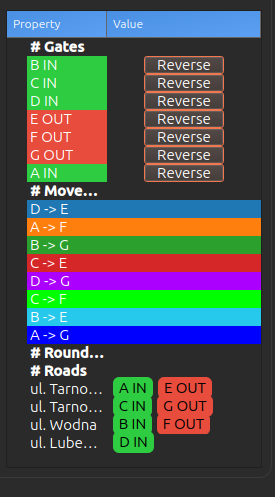
Gates Table
| Column | Description |
|---|---|
| ID | Gate identifier (A, B, C, ...) |
| Type | Gate type (Entry/Exit/Bidirectional) |
| Operation | Remove gate or Reverse the direction vector (180° flip) |
Gate direction and Reverse operation
Each gate shows a direction arrow on the preview image. The arrow is perpendicular to the gate line and defines allowed crossing direction.
- If a tracklet crosses the gate in arrow direction, the crossing is counted.
- If a tracklet crosses opposite to the arrow direction, the crossing is ignored.
- Use Reverse in the Gates table to flip arrow direction by 180°.
Movements Table
| Column | Description |
|---|---|
| ID | Movement identifier (AB, AC, BA, ...) |
| Source | Starting gate ID |
| Target | Ending gate ID |